강령

macOS용 다운로드

모든 컬렉션

문제 해결

시스템 설정의 충돌을 어떻게 해결하나요?

How do I clear conflicts in system settings?


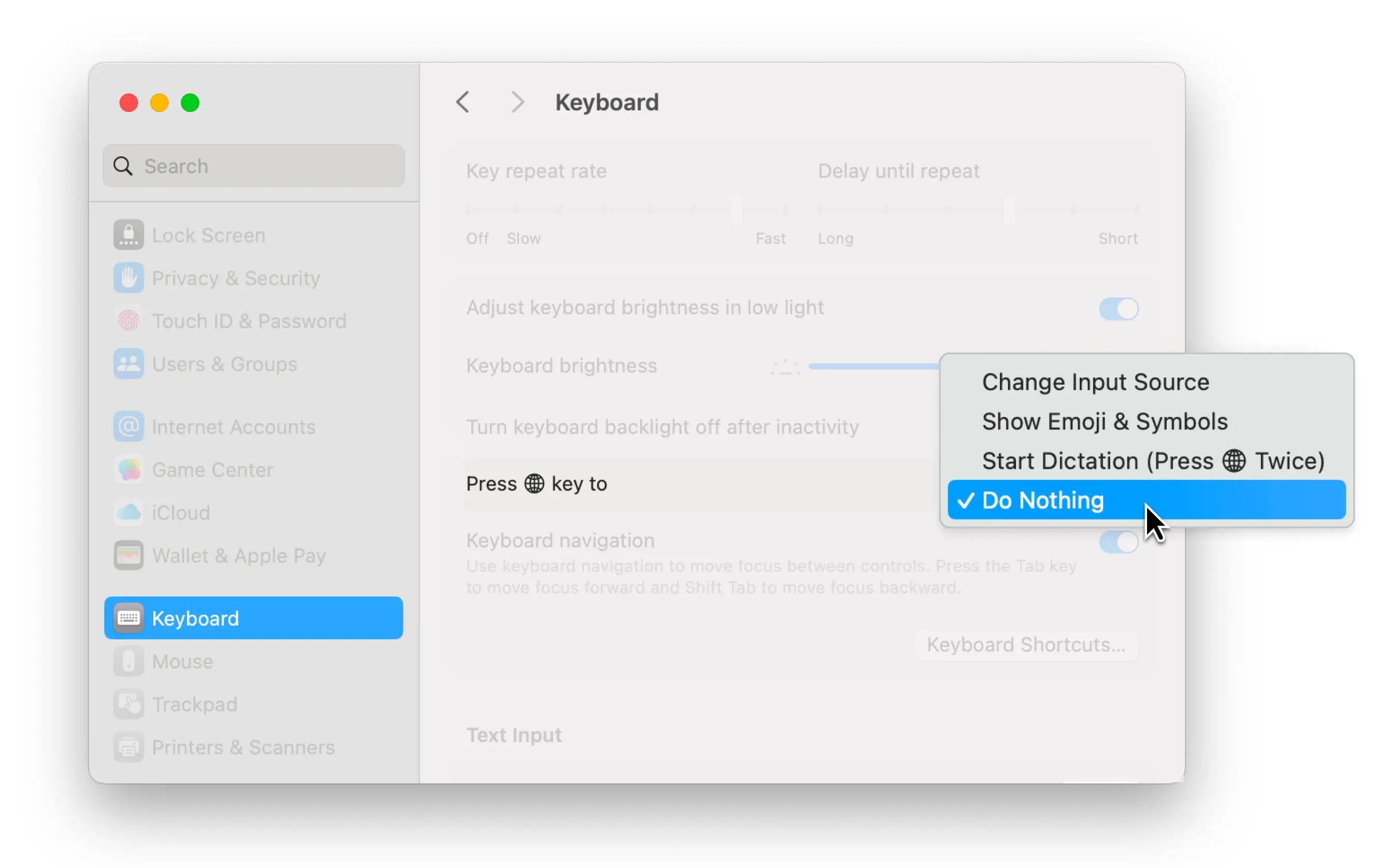
If the fn key (or any other key you choose) isn’t working as expected, it might be tied to another system action.

To check and clear this:

1.  Open System Settings

2.  Go to Keyboard

3.  Look for any shortcuts or special functions assigned to your chosen key

4.  Disable or reassign those to avoid interference

press-fn-key-to


Still having trouble? Go to Typeless home and report an issue or share your thoughts in the Give feedback section. Thank you for helping us improve!