Getting started with v0.9.0 features
December 24, 2025
-
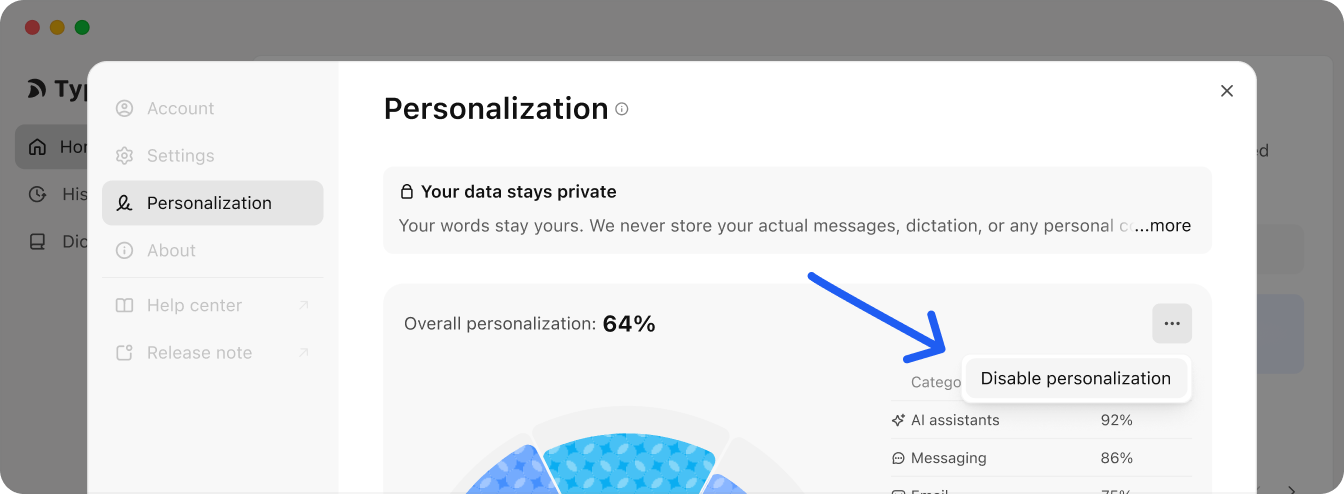
Personalization Typeless naturally adapts to your tone the more you use it, whether you tend to write more formal, more casual, more concise, or more detailed. There is nothing to set up.
If you disable this, Typeless will stop learning your writing style and switch to a non-personalized phrasing. You can change this in Settings > Personalization.
- Web Search + Markdown Typeless can now fetch the latest info from the web and apply Markdown styling (like headers and lists) when needed.
How to trigger:
-
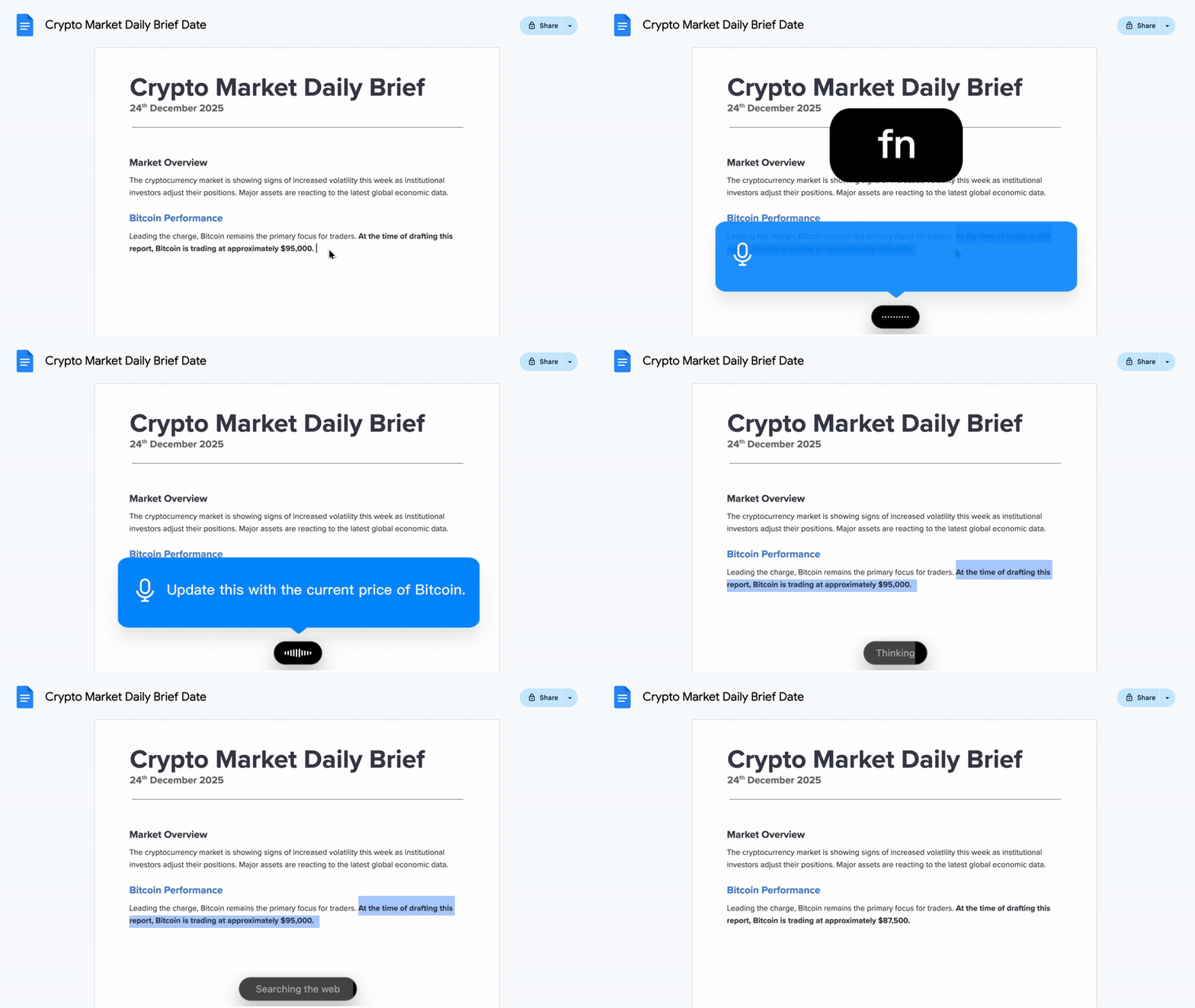
Select the text you want to edit or use as context.
-
Hold your Hotkey (e.g., Fn).
-
Speak a command that requires online info or specific formatting.
Tip: To ensure a web search, explicitly mention "search", "latest", or "current" in your command.
Examples:
To search: "Update this with the current price of Bitcoin." (Typeless detects the need for live market data and searches the web.)
To format: "Turn this into a bulleted list." (Typeless detects the formatting request and applies Markdown.)