Getting started with Translate
iOS app V0.5.0
With Translate, you can speak naturally and have Typeless turn your words into your chosen language in real time, with phrasing that feels native.
How to use
- Set your target language
- Tap Account in the tab bar, then navigate to Settings.
- Find Translation target, then choose your output language from the list.
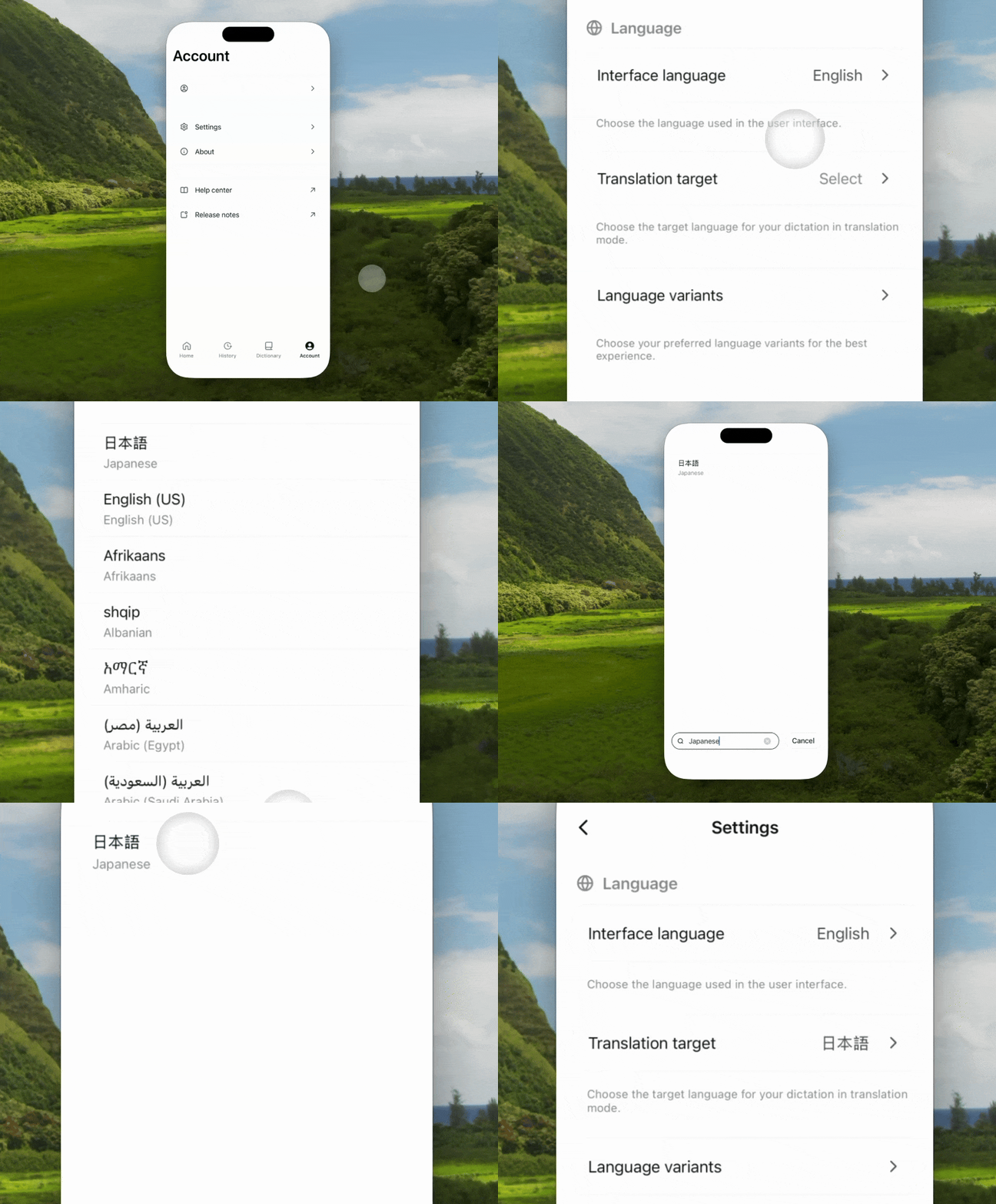
- Speak naturally in your own language
- Open any app and tap a text field.
- Press and hold the Speak button on the keyboard and swipe up, then start speaking.
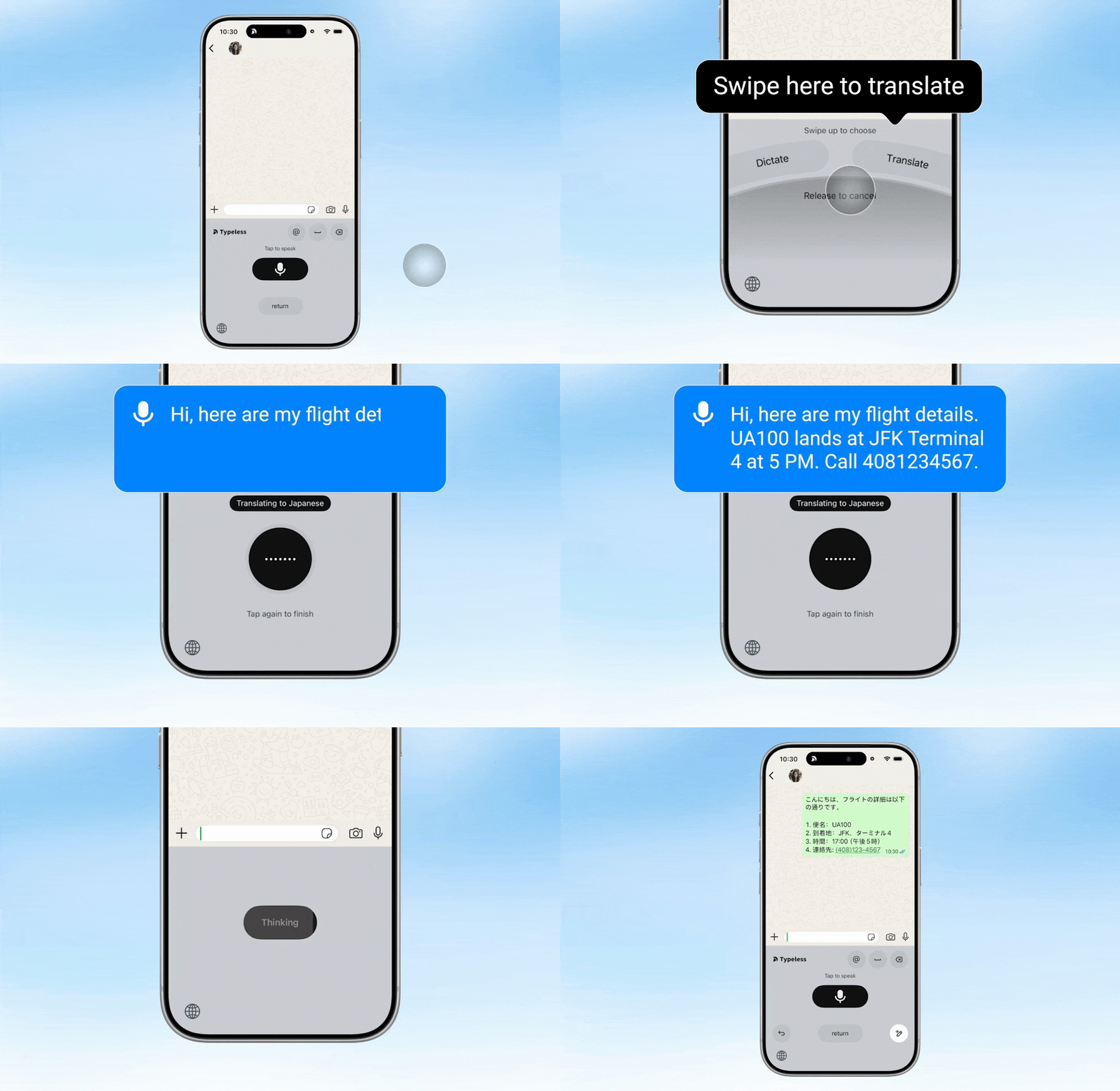
- Translate in real time
- When you’re done, tap the Speak button to finish.
- Typeless will instantly process your words and insert a formatted, natural-sounding translation.