Get started with Swipe-to-type
May 8, 2026
Android app V1.5.0
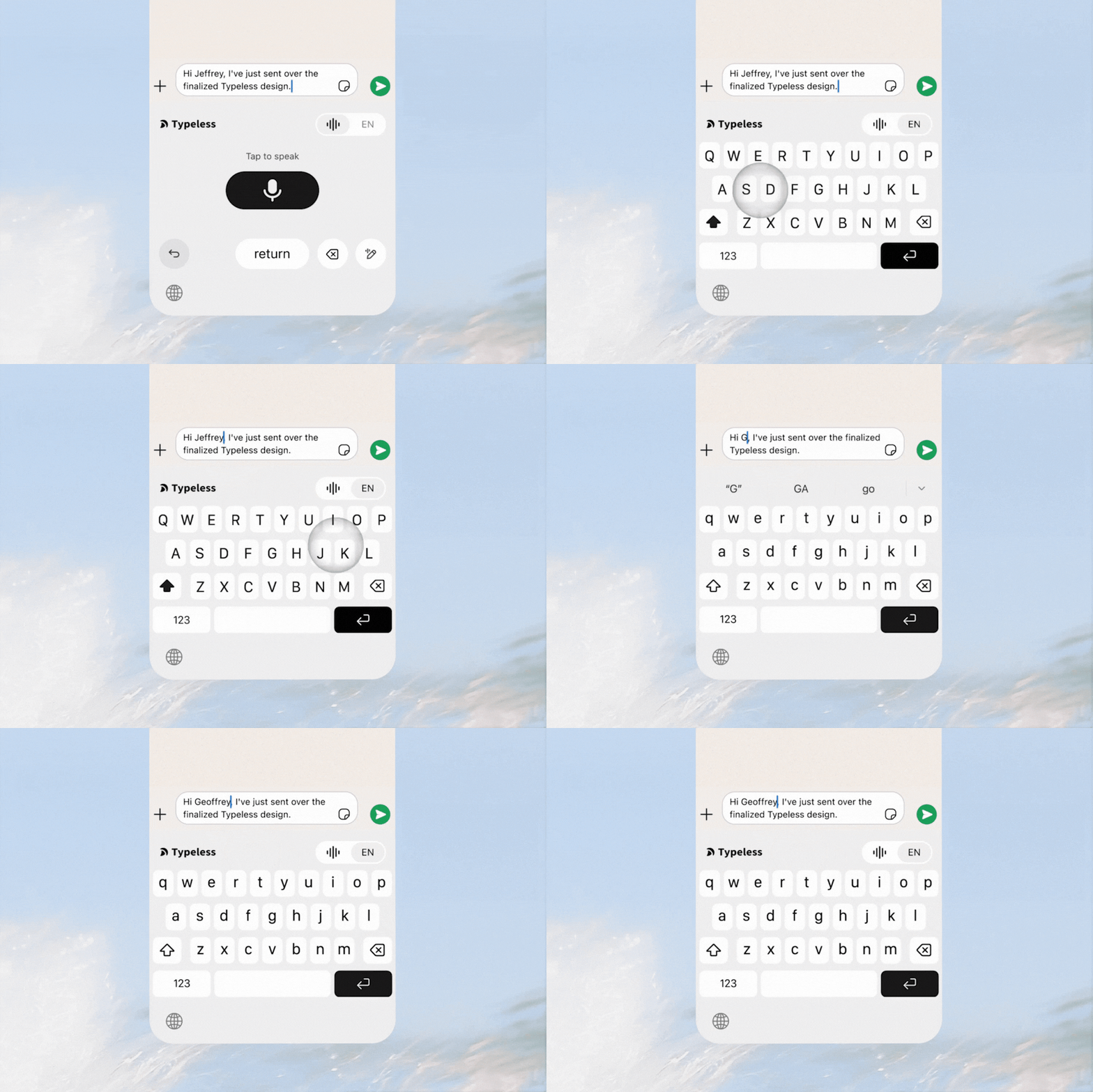
With Swipe-to-type, you can make quick edits, add punctuation, or type a few characters without leaving the Typeless experience.
How to use
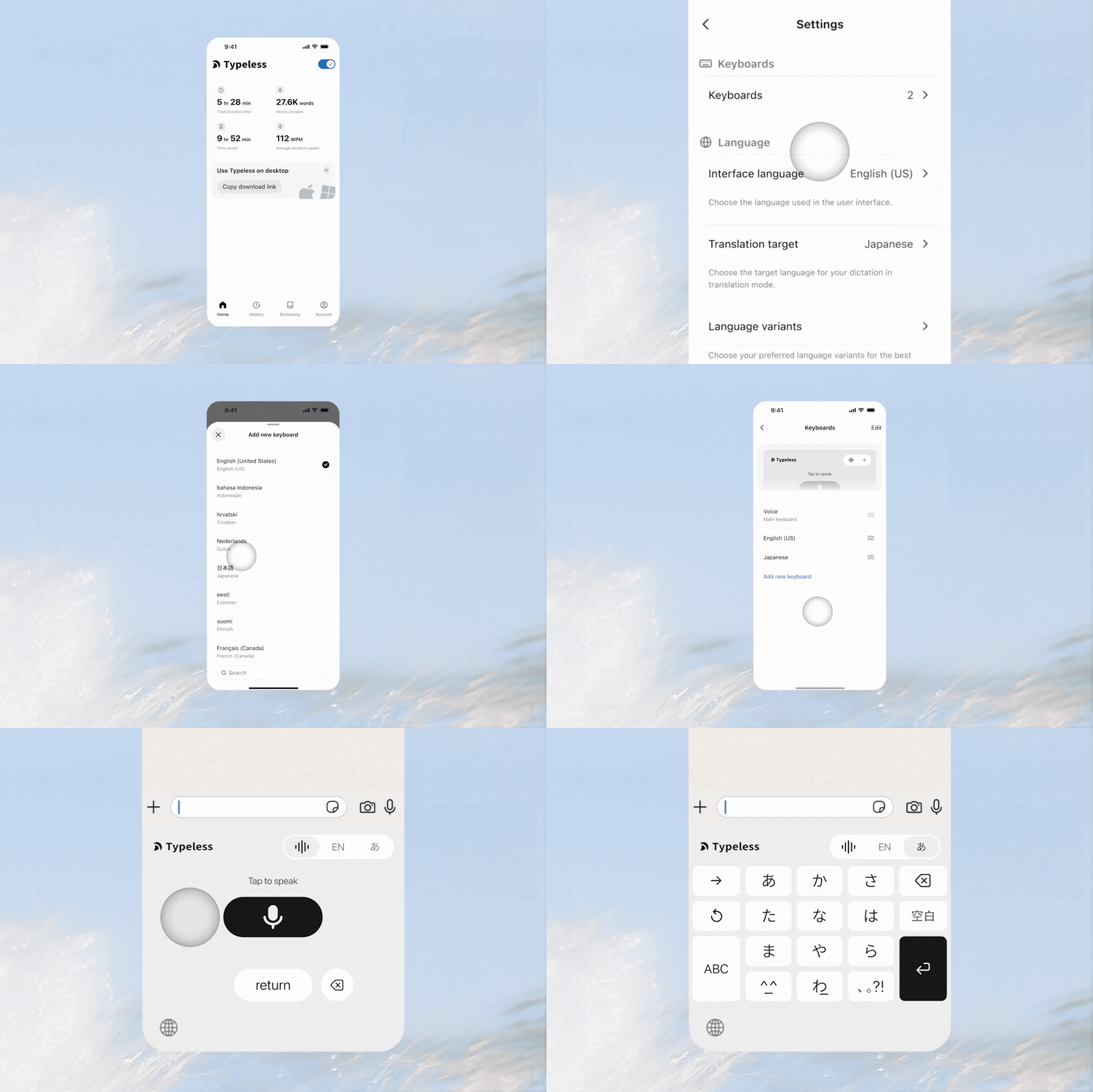
- Swipe to switch keyboards
- Start with the Voice keyboard each time you tap a text field.
- Swipe left or right to switch keyboards in a loop.
- Type with the keyboard for the language you're working with.
- Add a new keyboard
- Tap Account in the tab bar, then navigate to Settings.
- Find Keyboards, then tap Add new keyboard.
- Choose a keyboard from the list. Repeat to add more.
- Tap Edit to reorder and drag the Reorder button.
- Tap the Done button to finish reordering.