Aug 2, 2026
Typeless vs Wispr Flow: Which AI Voice Keyboard Is Better in 2026?

Elena Brooks
Quick verdict
The way we create content is shifting-typing is no longer the only way to get ideas into text. AI-powered voice dictation has evolved from clunky transcription into intelligent keyboards that understand context and adapt to how you work. If you're evaluating Wispr Flow alternatives, this guide breaks down where Typeless offers meaningful advantages and where both tools perform similarly.
Typeless and Wispr Flow are both AI voice keyboards, not basic speech-to-text tools. They don't just transcribe. They remove filler words, add punctuation, and adjust tone to match your app. Both deliver roughly 4x faster input than manual typing, with accuracy and context understanding that sit at the top of the market.
So what sets them apart?
Typeless does more:
- Real-time translation while speaking – dictate in one language, output in another instantly.
- Enhanced multilingual capabilities – English, Japanese, Korean, and Chinese all handled reliably, plus automatic detection across 100+ languages, mixed-language speech, and regional accents.
- "Ask Anything" voice commands – rewrite text, adjust tone, answer questions, open and search web pages (YouTube, Gmail, Google) directly by voice.
- Privacy by default – zero cloud data retention; no manual opt-out needed.
- More generous free tier – 8,000 words/week vs. Wispr's 2,000 (desktop) or 1,000 (iOS).
Bottom line: If you need multilingual support, real-time translation, or AI assistance beyond dictation, Typeless offers more capability without sacrificing speed or accuracy. For those seeking a Wispr Flow alternative with deeper features, Typeless is the stronger pick.
Typeless vs Wispr Flow: side-by-side comparison
Here's a side-by-side comparison to evaluate Typeless as a Wispr Flow alternative:
| Feature | Typeless | Wispr Flow |
|---|---|---|
| Voice Typing Speed | 4x faster than manual typing | 4x faster than manual typing |
| Context-Aware Dictation | ✅ Adapts to app context, tone, and format | ✅ Adapts to app context, tone, and format |
| AI Auto Edit | ✅ Punctuation, filler removal, tone matching, ready-to-send text (available on mobile and desktop) | ✅ Punctuation, filler removal, tone matching, ready-to-send text |
| Translate While Speaking | ✅ Real-time translation to any set language | ⚠️ Requires voice command; Mac/Windows only |
| Speak to Edit | ✅ Rewrite text, adjust tone via voice | ✅ Punctuation, filler removal, tone matching |
| Voice Commands | ✅ Summarize, answer questions, open web pages (YouTube, Gmail, Google) via voice (only desktop) | ⚠️ Answer questions (paid tier); basic edits ("delete that", "bold this") in free plan |
| Custom Vocabulary & Personalization | ✅ Auto + manual vocab; adapts to your writing style and tone across languages | ✅ Shareable dictionaries; strong personalization in English |
| Weekly Free Plan | 8,000 words/week | 2,000 words/week (desktop), 1,000 words/week (iOS) |
| Platform Support | Mac, Windows, iOS, Android | Mac, Windows, iOS, Android – some features platform-restricted |
| Language Support | 100+ languages; strong multilingual performance including across diverse languages | 100+ languages |
| Starting Price | $144/year | $144/year |
| Privacy by Default | ✅ Zero data retention; never collected or stored in the cloud | ⚠️ Requires manual settings adjustment to avoid cloud data collection |
| Enterprise Compliance | Zero cloud data retention; ISO 27001, GDPR, HIPAA compliant | ISO 27001 / SOC 2 for Enterprise plans only |
| Setup & Ease of Use | Simple hotkey setup; works universally across apps | Simple hotkey setup; some advanced features require paid tier |
The takeaway: Both tools deliver fast, intelligent dictation. Typeless offers broader feature access across all platforms, stronger multilingual and translation capabilities, more robust privacy defaults, and a free tier that lets you test the tool seriously before committing. Wispr Flow is capable, but you'll encounter feature limits and platform restrictions sooner.
What Is Wispr Flow?
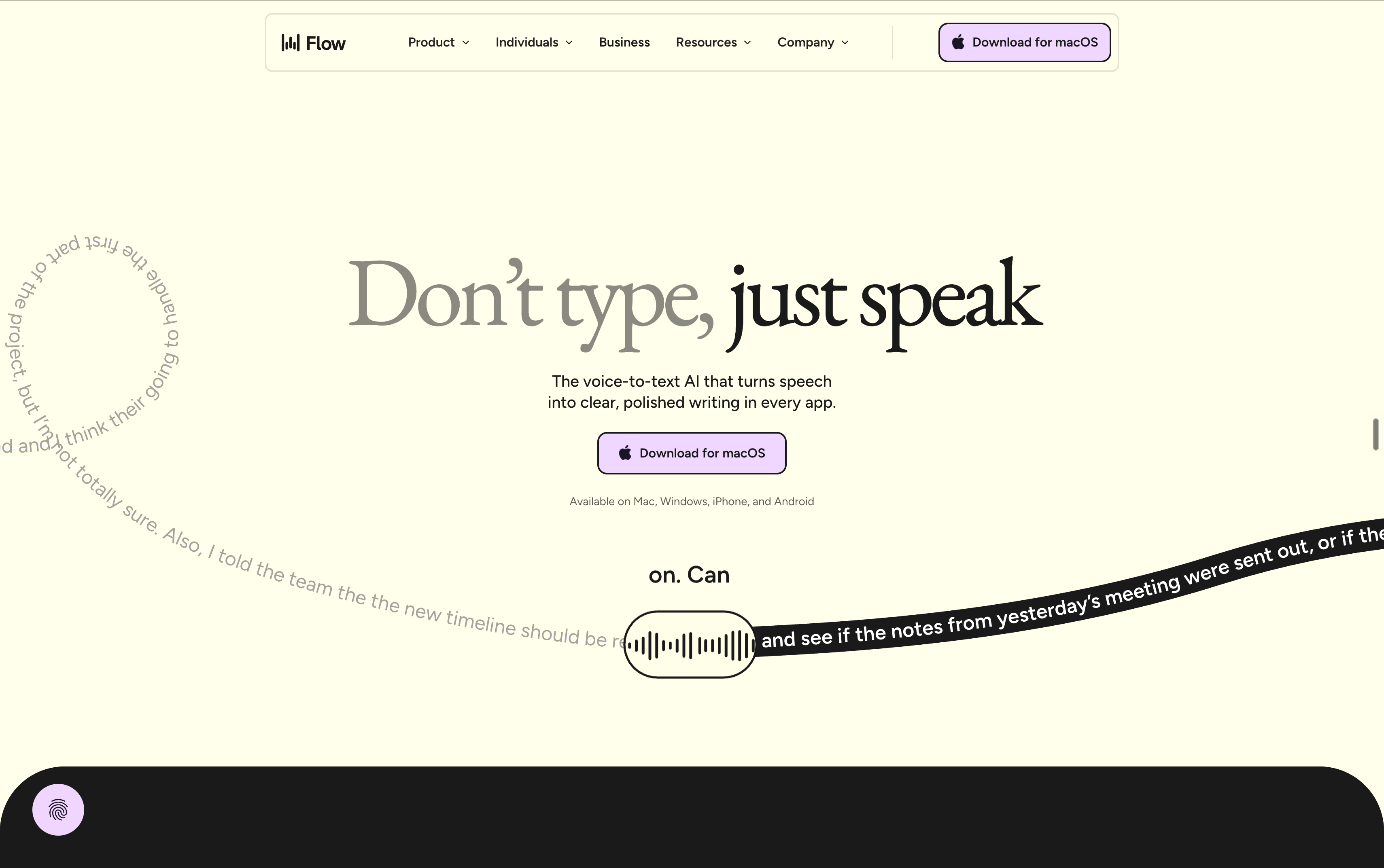
Wispr Flow is an AI-powered voice keyboard that replaces manual typing with fast, context-aware dictation. It goes beyond simple transcription - intelligently removing filler words, adding punctuation, and adjusting tone to match your app, whether you're drafting emails, messaging on Slack, or filling out forms. Supporting over 100 languages across Mac, Windows, iOS, and Android, it integrates seamlessly with most applications. The mission is simple: speak naturally, and Wispr Flow delivers polished, ready-to-send text. For frequent dictation users, it's been a reliable tool that accelerates writing and reduces friction.
That said, real-world use has surfaced recurring pain points that lead users to explore alternatives.
Why Users Look for a Wispr Flow Alternative
Based on feedback from Reddit communities and user reviews, here's why users actively search for a Wispr Flow alternative:
Over-editing that alters meaning
Wispr Flow's AI cleanup is aggressive. While it removes filler words and smooths speech, it occasionally changes tone or meaning more than users expect. If you're dictating technical content, creative writing, or nuanced ideas, you may find yourself re-editing what the AI "improved." [Source: [Reddit - Honest Wispr Flow Review]
Latency that interrupts flow
Even a one- or two-second delay between speaking and seeing text can break your train of thought. For fast thinkers or people who dictate in rapid bursts, this lag becomes a friction point that slows down the very workflow Wispr Flow is supposed to accelerate.[Source: [Reddit - Wispr Flow alternatives discussion]
Accuracy with accents and specialized vocabulary
While Wispr Flow handles standard speech well, users with non-native accents, regional dialects, or domain-specific vocabulary (medical terms, technical jargon, brand names) report accuracy drops. Users have noted issues with false starts and multilingual feedback, particularly when switching between languages or dictating code. [Source: [Reddit - Wispr Flow alternatives discussion] [Source: [Reddit - Honest Wispr Flow Review]
Feature limitations on free and mobile tiers
Many of Wispr Flow's most valuable features are locked behind the paid tier or only work on desktop. Advanced AI commands, translation capabilities, and deeper customization aren't available in the free plan. The free tier also limits you to 1,000–2,000 words per week, which runs out quickly if you're testing the tool seriously. [Source: [Reddit - Honest Wispr Flow Review]
Privacy concerns and manual opt-out
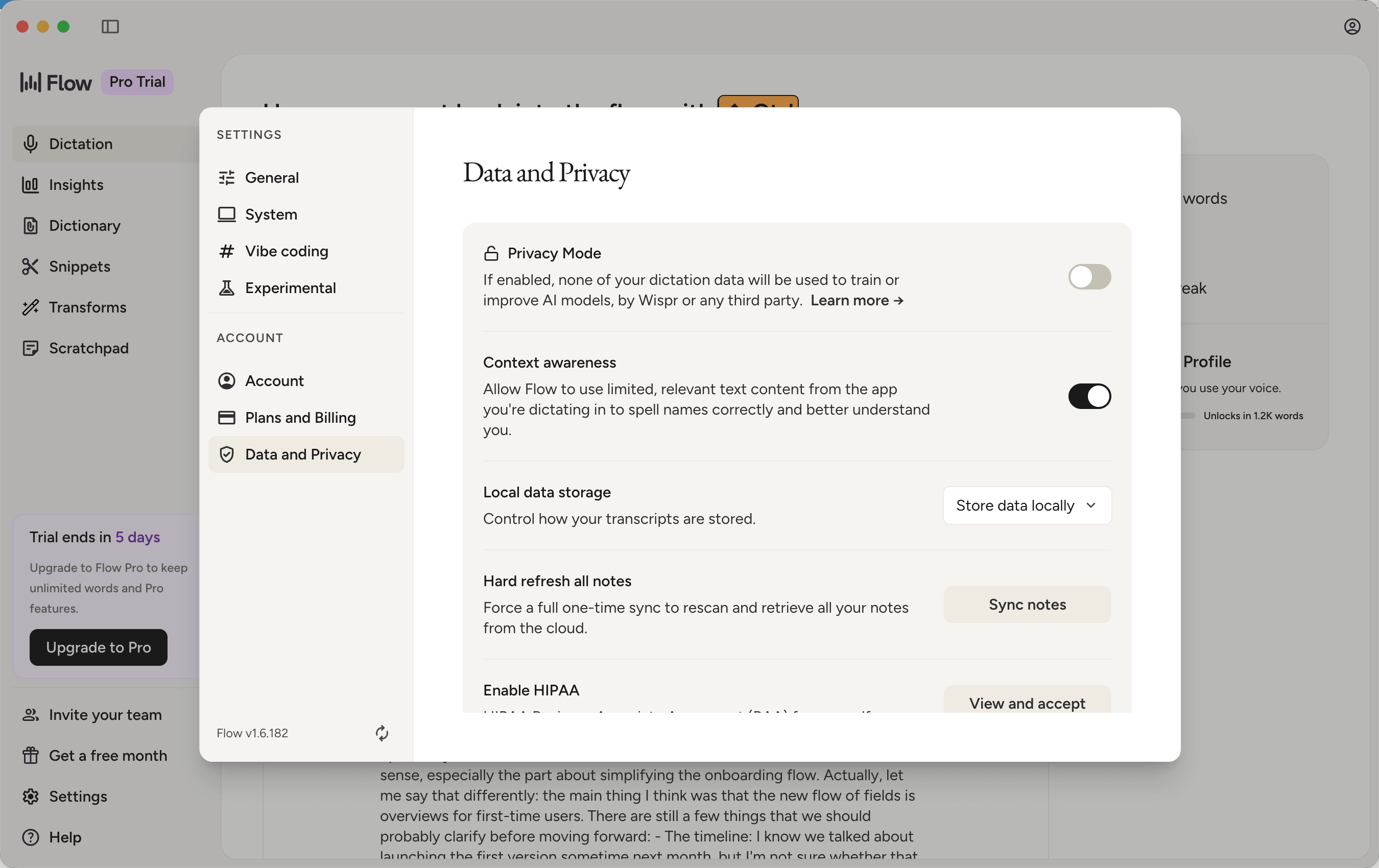
Some users have raised concerns on Reddit about Wispr Flow's data collection practices, noting that avoiding cloud data storage requires manually adjusting settings. It's not the default. For users in regulated industries or those prioritizing privacy, this extra step is a meaningful friction point. [Source: [Reddit - Best Wispr Flow Alternative for Privacy [Source: [Reddit - Honest Wispr Flow Review]
These issues aren't dealbreakers for everyone, but they're common enough that users actively search for alternatives offering better multilingual support, faster processing, more generous free access, broader cross-platform compatibility, and stronger privacy defaults. That's the gap Typeless is designed to fill.
What is Typeless?
Typeless is an AI voice keyboard designed as a stronger Wispr Flow alternative. It handles dictation well and adds capabilities most voice tools don't offer. Like Wispr Flow, it transcribes speech quickly and cleans up the output automatically. But Typeless goes further with real-time translation, AI commands, stronger multilingual support, and privacy by default.
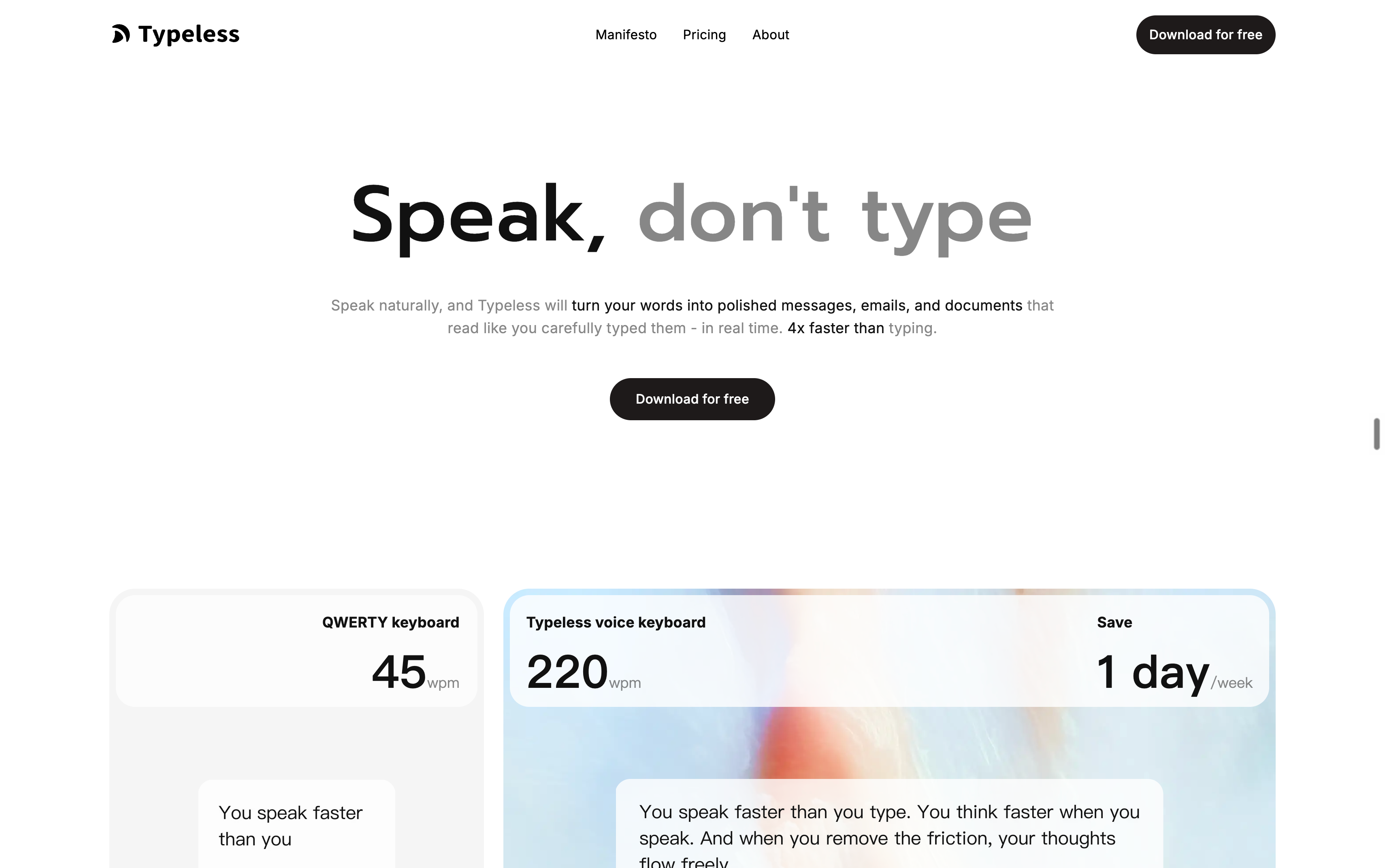
Typeless excels at turning messy, natural speech into clean, structured text. You can speak in long, unstructured sentences, change your mind mid-thought, add corrections as you go, and the tool organizes everything into readable output. It removes filler words, adds punctuation, and adjusts tone based on context. An email reads more formally than a Slack message. A LinkedIn post sounds different from a quick text.
The tool automatically formats content based on what you're saying. Dictate a list, and it generates bullet points. Speak in paragraphs, and it structures them properly. You don't need to say "new line" or "bullet point" manually. Typeless understands the structure of your speech patterns and formats accordingly.
It learns your vocabulary over time. Industry terms, brand names, technical jargon all get picked up without manual training. This matters most when you're dictating specialized content: legal briefs, medical notes, technical documentation, or product specs.
One area where Typeless particularly shines is dictating prompts to AI tools. When working with ChatGPT, Claude, or Copilot, crafting detailed, context-rich prompts can feel mentally taxing—especially when typing. You might simplify your request to avoid the effort, or forget key details mid-sentence. With voice prompting, that friction disappears. You can naturally speak your full thought process without the cognitive overhead of typing: "I'm working on a Python script that processes customer data from three different APIs, and I need to handle rate limiting while maintaining data consistency across all sources—what's the best approach?" The ability to express complex requirements fluidly, without worrying about typing fatigue or losing your train of thought, makes voice input transformative for anyone who regularly works with AI assistants—developers, product managers, researchers, and content creators alike.
Where Typeless differentiates itself
Beyond strong dictation fundamentals, Typeless adds:
- Real-time translation that lets you speak in one language and output in another instantly
- AI commands for rewriting, tone adjustment, web search, and opening apps by voice
- Stronger multilingual performance across English and smaller languages (Nordic, Eastern European, Asian)
- Zero data retention by default, with ISO 27001, GDPR, and HIPAA compliance
- 8,000 words/week free tier, compared to Wispr Flow's 1,000-2,000 words
Typeless works across Mac, Windows, iOS, and Android, with core dictation features available on all platforms.
The sections below break down how these differences matter in real-world use.
Why Typeless Is a Stronger Wispr Flow Alternative
If you're evaluating alternatives to Wispr Flow, the decision often comes down to whether a tool can match the core dictation experience while offering more flexibility, better cross-platform support, and features that extend beyond transcription. Typeless delivers on all three fronts. Here's how it compares in the areas that matter most for daily use.
Accuracy and Context Understanding
Both Typeless and Wispr Flow excel at the fundamentals: voice recognition accuracy, context-aware formatting, and intelligent cleanup. You're getting near-instant transcription with smart punctuation, filler word removal, and tone adaptation that matches the app you're using. In real-world testing, both tools handle natural speech patterns well, and the difference in raw accuracy is negligible for most users.
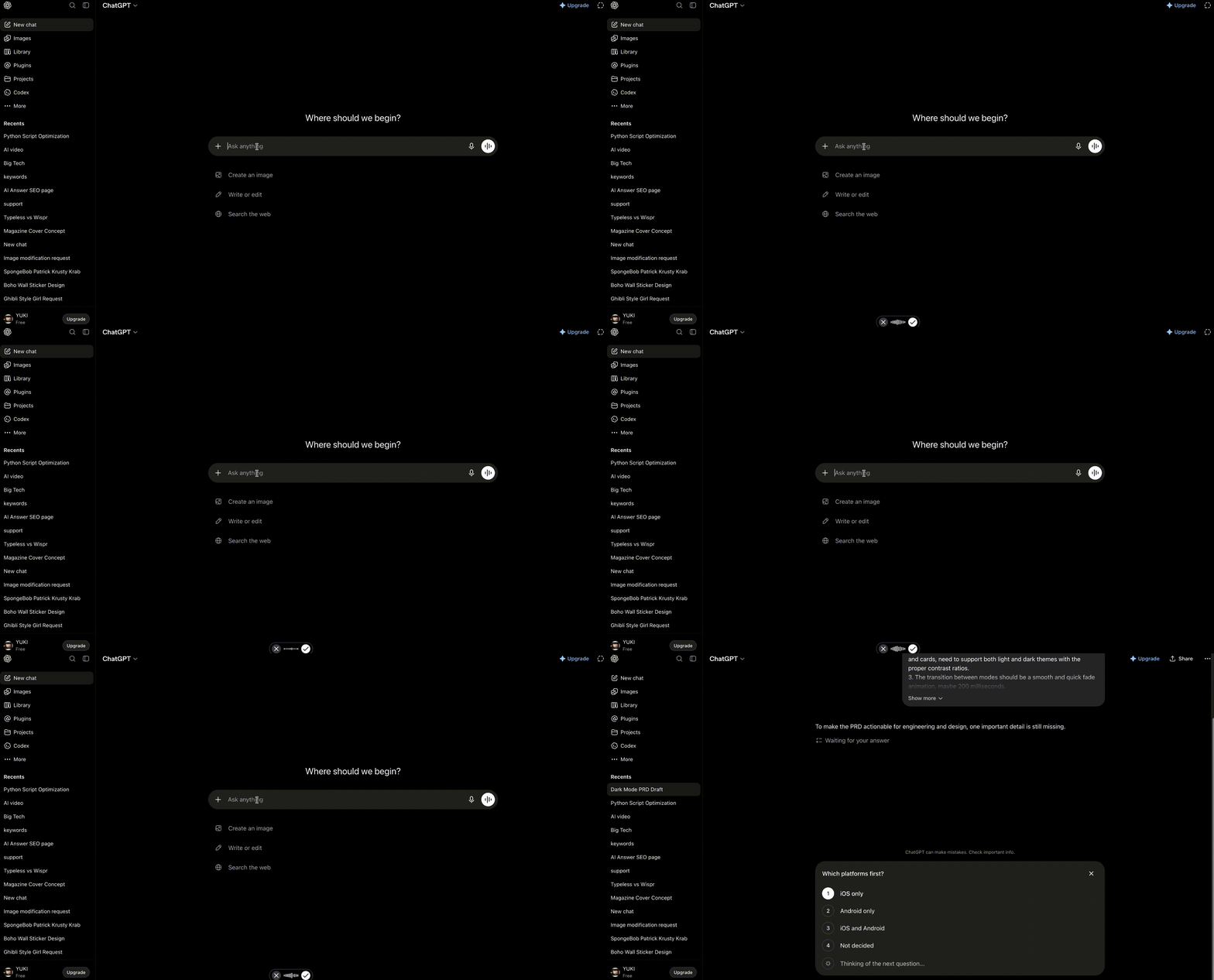
Where Typeless gains an edge is multilingual range. It detects your language automatically across 100+ languages, from widely spoken ones like English, Japanese, and Spanish to smaller, less common languages, so there's no manual switching and no drop-off when you move off the beaten path. It handles regional accents and mixed-language speech, so you can switch languages mid-sentence and the text still comes out clean. On top of that, it learns your vocabulary over time, picking up brand names and domain terms automatically, so you spend less time correcting whichever language you're working in.
Voice Typing Processing Speed
Speed is where both tools shine equally. Typeless and Wispr Flow both deliver roughly 4x faster input than manual typing, with minimal latency between speaking and seeing text appear. For most users, the processing speed feels near-instantaneous, which is critical for maintaining flow when dictating long-form content or rapid-fire messages.
The real difference isn't raw speed. It's how that speed translates into usable output. Typeless handles messy, natural speech and turns it into clean, structured text that's ready to send. You can speak in long sentences, change your mind mid-thought, or dictate lists, and the output comes out organized with proper formatting, bullet points, and paragraph breaks. This means less time spent editing after dictation, which is where real productivity gain happens.
Application Compatibility – Dictation That Works Everywhere
Both tools integrate seamlessly with most applications. Typeless works across Mac, Windows, iOS, and Android, ensuring you can dictate wherever you work whether on your laptop, phone, or tablet. More importantly, it works universally within the apps you use daily: Gmail for emails, Notion and Obsidian for note-taking, Slack for team communication, Google Docs for collaborative writing, Figma for design feedback, Linear for issue tracking, and countless others. Core features like dictation, translation, and custom vocabulary are accessible across all platforms and applications, though some advanced capabilities may vary between desktop and mobile versions.
This cross-platform and cross-application support matters most when your workflow spans multiple devices and tools. You might draft a project brief in Notion on your laptop, respond to urgent messages in Slack on your phone, review a Google Doc during a commute on your tablet, and send follow-up emails in Gmail—all using the same dictation experience. Typeless ensures consistency everywhere, eliminating the need to adjust your workflow based on which app or device you're using.
- For developers and technical users
Dictating code prompts or technical documentation is notoriously difficult for voice tools. Typeless handles this better by letting you dictate long prompts to Claude, Cursor, VS Code, Copilot, or ChatGPT in seconds—no need to type out complex instructions manually. You can also ask quick questions like "What does this error mean?" without leaving your editor, turning Typeless into a voice-first coding assistant.
- For leaders and executives
Time is the most valuable resource, and Typeless helps you reclaim it. Dictate follow-ups on the walk back from a meeting—emails, Slack messages, or even board deck notes—all by voice. Because Typeless deletes your voice data the moment transcription completes and doesn't use it to train models, you can dictate sensitive information (financial projections, personnel decisions, strategic plans).
- For everyone else
Whether you're a content creator drafting blog posts, a student taking lecture notes, a sales rep logging CRM updates, or a healthcare professional documenting patient records, Typeless adapts to your workflow and keeps your data private.
More Than Voice Typing – Ask Anything in Action
This is where Typeless moves beyond dictation into AI-powered productivity. The "Ask Anything" feature lets you control text, search the web, and interact with apps—all by voice.
Rewrite and adjust tone on the fly
You've just dictated an email, but it feels too casual. Instead of manually editing, you say: "Make this more formal." Typeless rewrites it instantly. Or if a paragraph is too long: "Summarize this in two sentences."
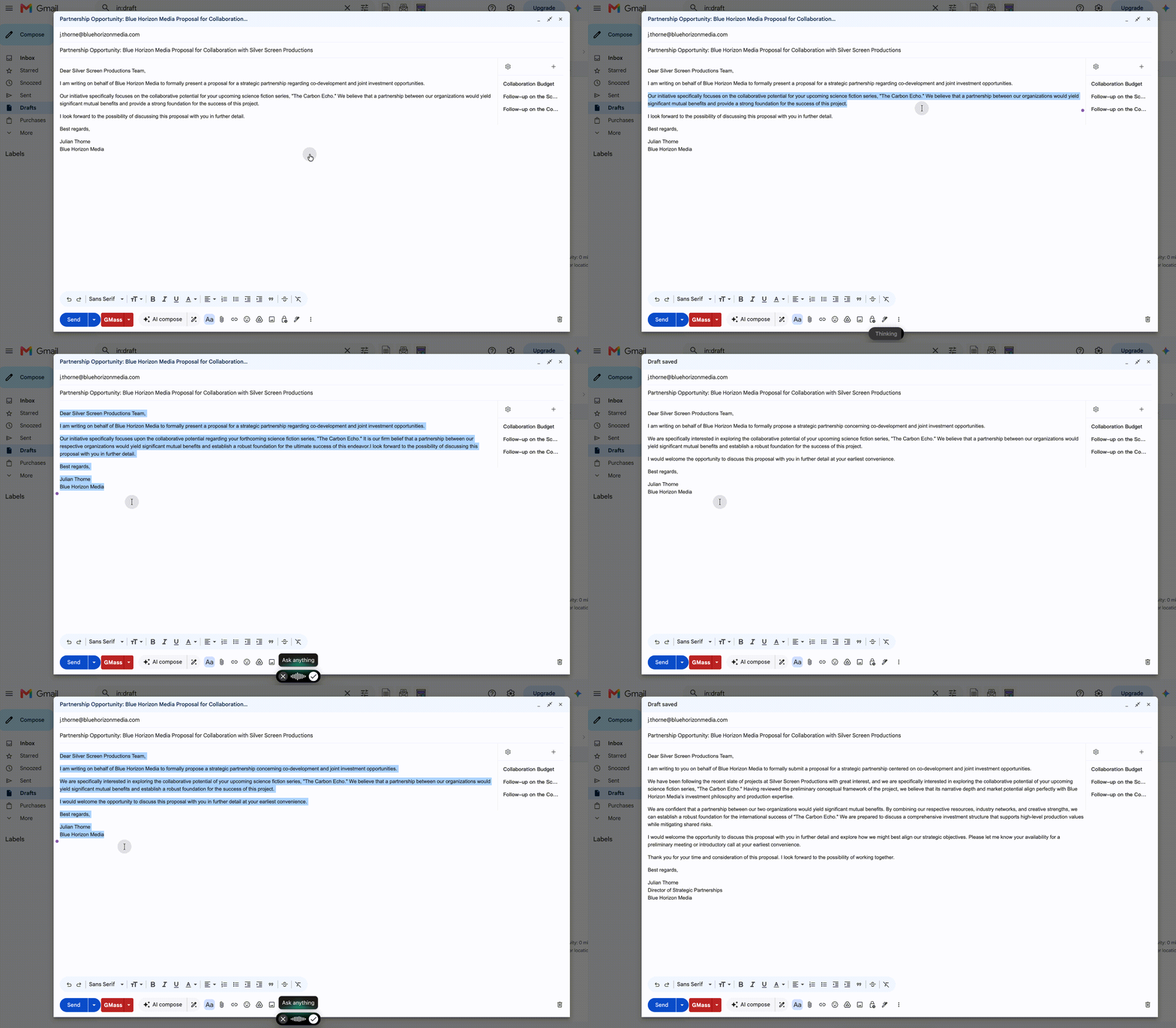
Example commands:
- "Rewrite this email to sound more professional"
- "Make this message more concise"
- "Explain this paragraph in simpler terms"
Answer questions without switching apps
You're drafting a document and need a quick fact. Instead of opening a browser and searching manually, you ask: "What's the population of Tokyo?" or "When was ISO 27001 last updated?" Typeless answers directly, letting you keep working.
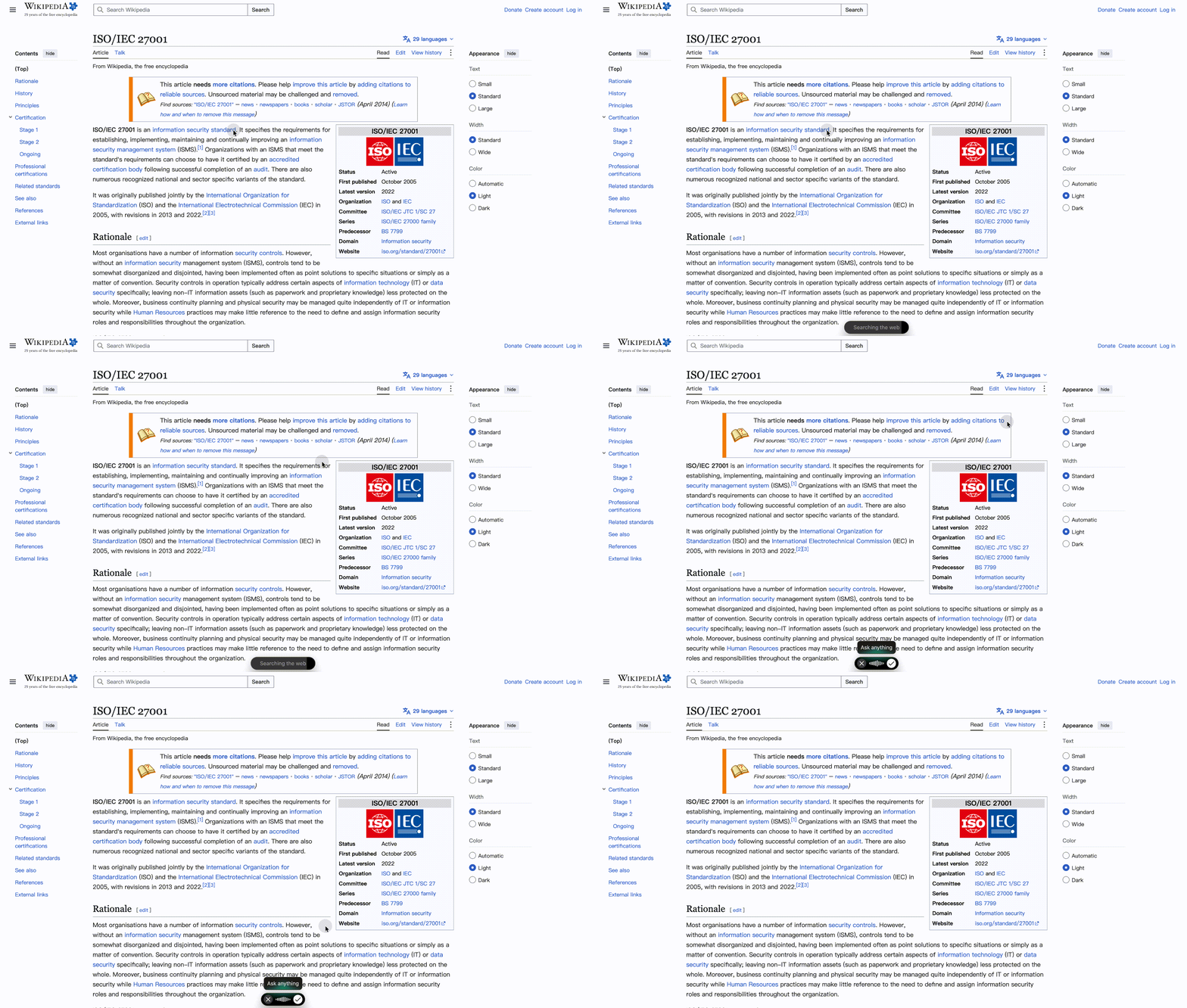
Example commands:
- "What's the current exchange rate for USD to EUR?"
- "Define HIPAA compliance"
- "What are the top three AI voice keyboards in 2026?"
Open web pages and search by voice
You need to reference a YouTube tutorial, check your Gmail, or search Google for something specific. Instead of clicking through tabs, you say: "Open YouTube and search for React hooks tutorial" or "Open Gmail" or "Google search best project management tools." Typeless executes the command instantly.
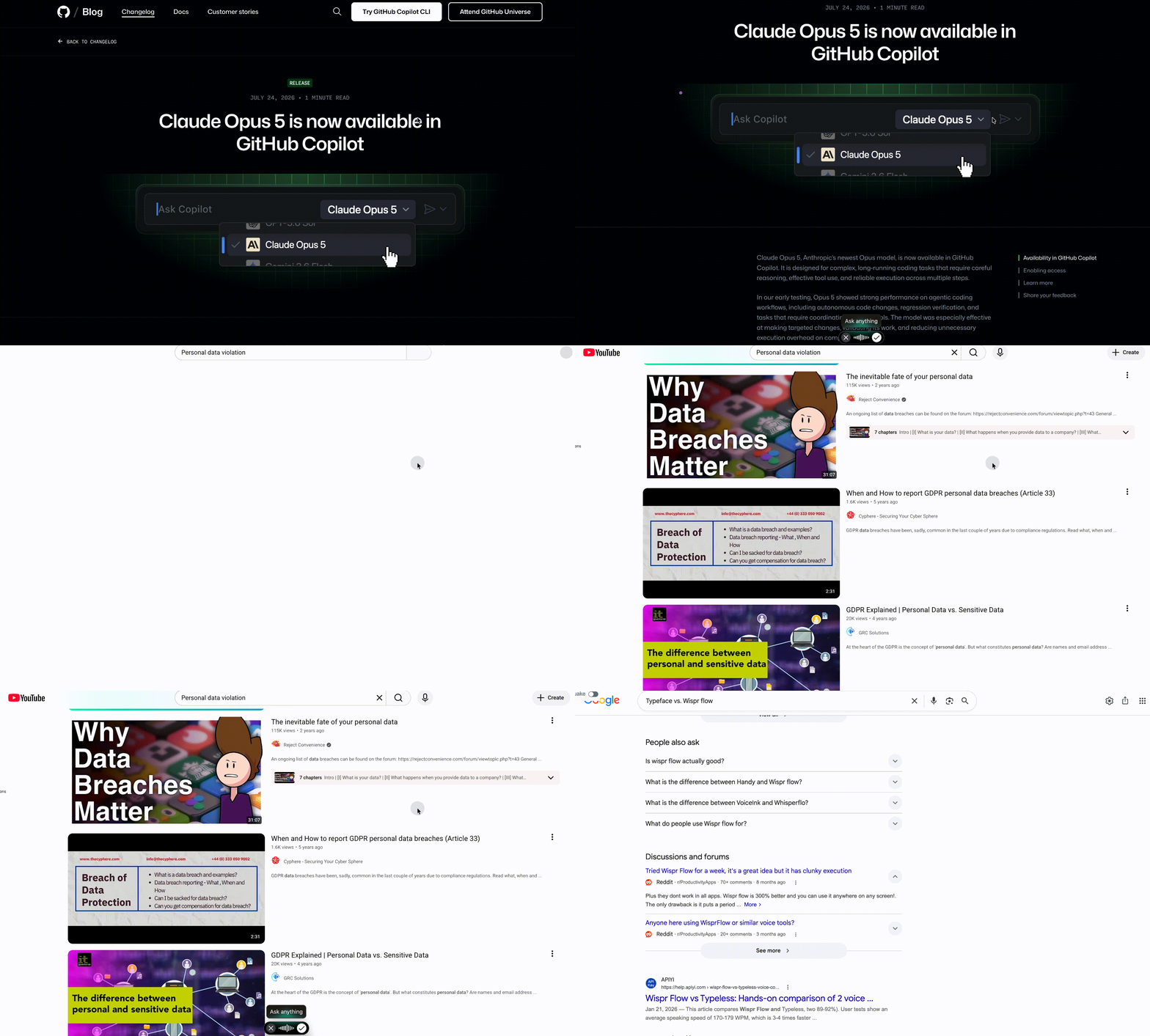
Example commands:
- "Open YouTube and search for Python data visualization"
- "Open Gmail"
- "Google search Typeless vs Wispr Flow"
Multilingual Translation While You Speak
If you work across languages, this feature alone may justify switching to Typeless. Instead of dictating in one language and then translating afterward, Typeless translates in real time as you speak. You set your output language once, then dictate naturally—your words appear instantly in the target language.
Email scenario:
You're drafting an email to a client in France. You speak in English: "Hi Marie, I wanted to follow up on our last meeting and confirm the project timeline." Typeless outputs: "Bonjour Marie, je voulais faire un suivi sur notre dernière réunion et confirmer le calendrier du projet."
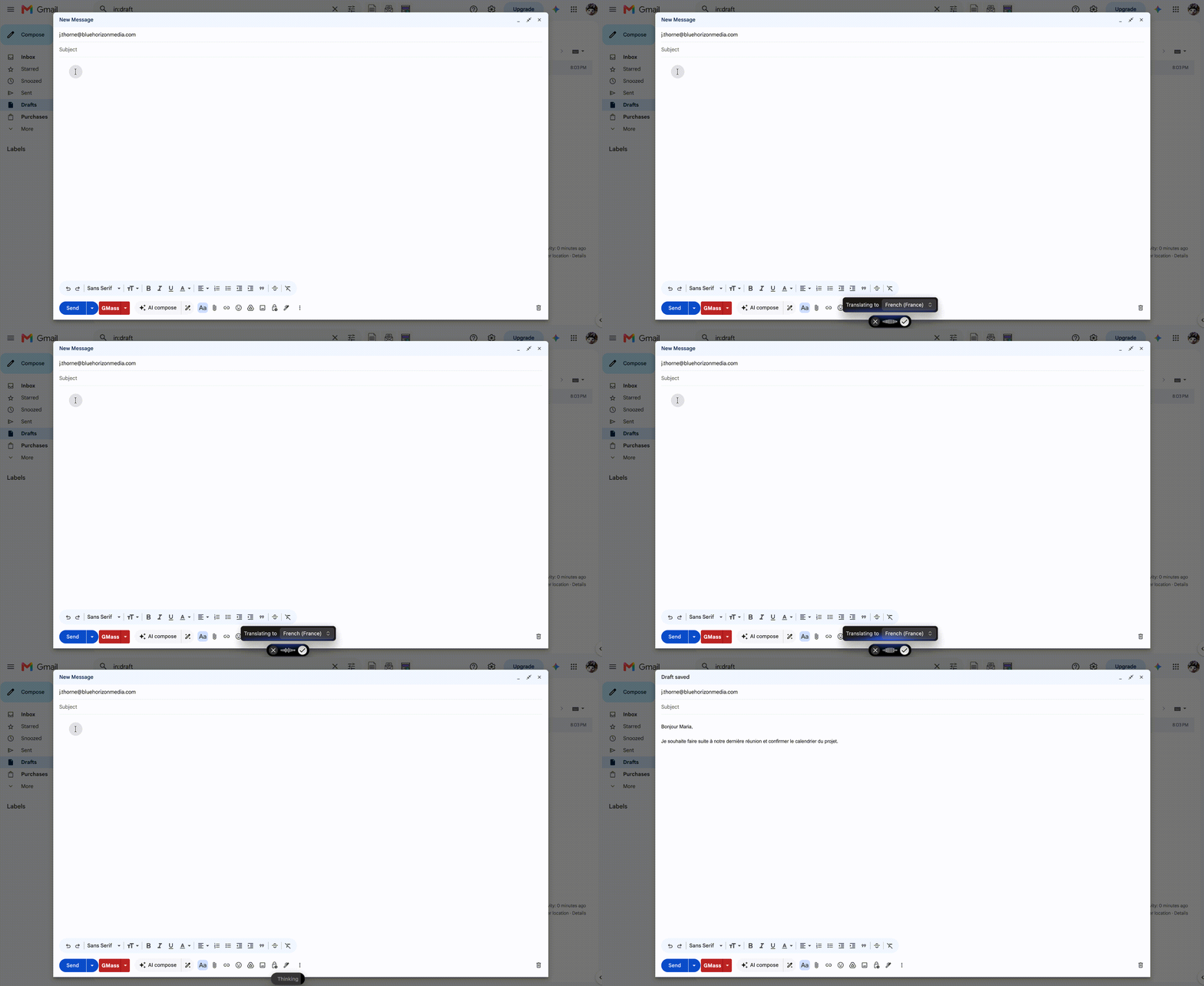
Chat scenario:
You're messaging a teammate in Japan via Slack. You speak in English: "Can you send me the updated design files by end of day?" Typeless outputs in Japanese: "今日中に更新されたデザインファイルを送ってもらえますか?"
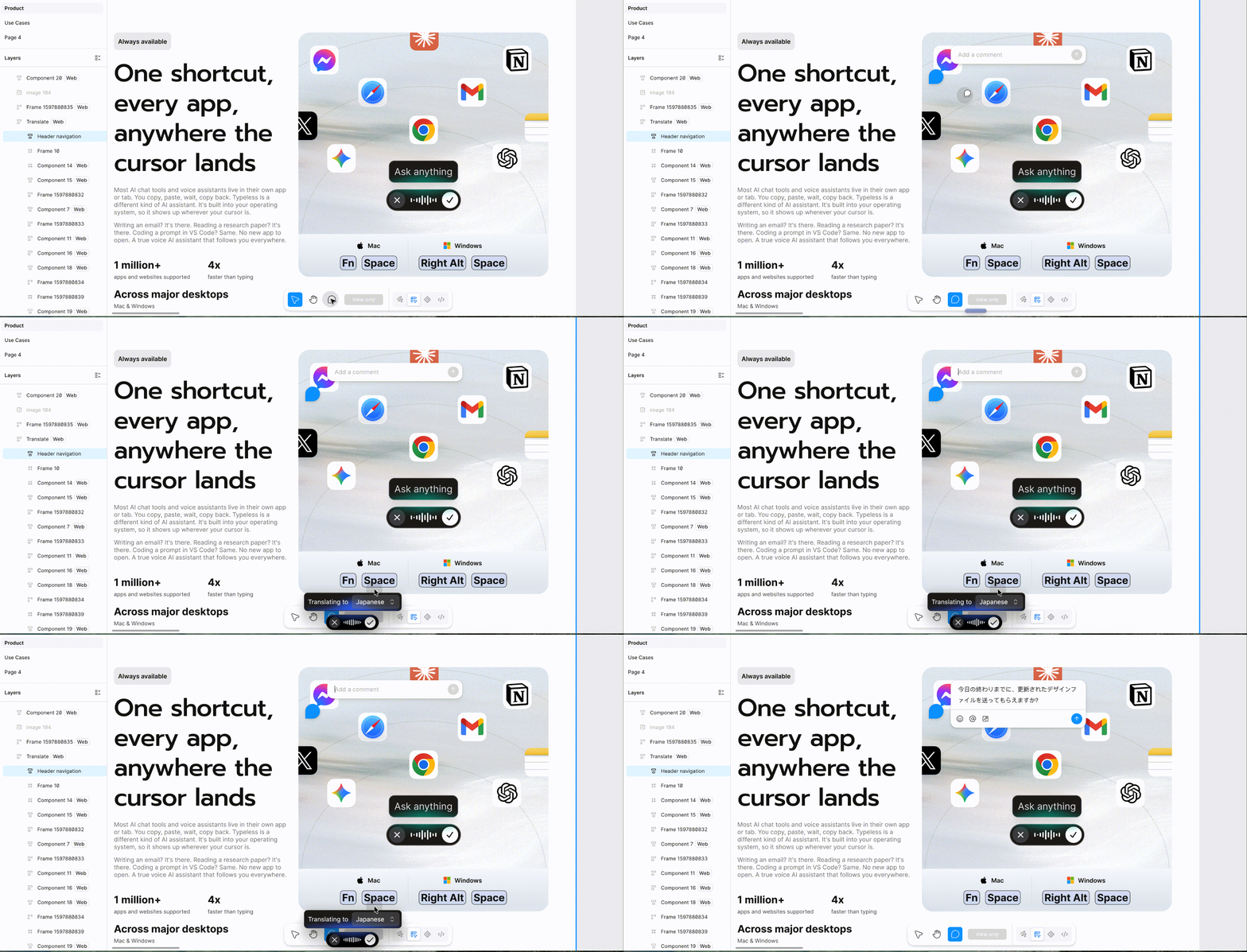
This isn't just faster. It's fundamentally different from dictating and then translating. You stay in flow, and the output is contextually accurate, not a robotic word-for-word translation.
Wispr Flow offers translation, but it requires a voice command and only works on Mac and Windows. Typeless makes it seamless across all platforms.
Personalization and Custom Vocabulary
Both tools support custom vocabulary, but Typeless handles it more intelligently. It automatically learns specialized terms, brand names, and domain-specific jargon as you use it, without requiring manual dictionary entries. If you frequently mention "Kubernetes," "HIPAA," or "Salesforce," Typeless picks up on it and transcribes accurately from the first use.
You can also manually add terms if needed, and the system adapts across all languages, not just English. This is particularly valuable for users who work in technical fields, healthcare, legal, or any domain with specialized vocabulary.
Wispr Flow offers shareable dictionaries, which are useful for teams, but its personalization is strongest in English environments. If you're working in multiple languages or non-English contexts, Typeless adapts better.
Free Tier & Accessibility
Typeless offers 8,000 words per week on its free plan—enough to seriously test the tool across multiple use cases before committing to a paid subscription. Wispr Flow's free tier gives you 2,000 words/week on desktop or 1,000 words/week on iOS and unlimited words per week on Android (limited time only),which runs out quickly if you're using it daily.
This isn't just about quantity. It's about removing friction from evaluation. With Typeless, you can use the tool in real work scenarios for a full week and understand whether it fits your workflow. Drafting emails, writing documents, dictating meeting notes, and especially dictating prompts to AI tools like ChatGPT, Claude, or Cursor. For many users, inputting prompts has become one of the most frequent use cases, and 8,000 words gives you enough room to test that workflow thoroughly. With Wispr Flow's free tier, you'll hit the limit before you've fully tested it.
Privacy and Data Security
Typeless is built with zero data retention by default. Your transcription records aren't stored in the cloud, and your information stays private without requiring manual opt-out steps or settings adjustments. Privacy is the default state from day one.
Wispr Flow requires you to manually adjust settings to avoid cloud data collection. Some users have raised concerns on Reddit and other forums about this, noting that the default behavior involves data being sent to Wispr's servers. For users in regulated industries (healthcare, legal, finance) or anyone handling sensitive information, this difference matters.
Additionally, Typeless provides zero cloud data retention, GDPR and ISO 27001 compliance, and HIPAA-ready options. Organizations that require enforced HIPAA controls or a Business Associate Agreement should contact Typeless Enterprise. making it enterprise-ready for organizations with strict data governance requirements. Wispr Flow offers ISO 27001 and SOC 2 compliance, but only on Enterprise plans.
FAQ
Q: Is Typeless faster than Wispr Flow?
A: Both tools offer roughly 4x faster input than manual typing, with near-instant transcription. The speed difference is negligible in practice. Where Typeless gains an advantage is in workflow speed—real-time translation, AI commands, and voice-activated search mean you're not just typing faster, you're working faster overall.
Q: Does Typeless work offline?
A: No. Typeless requires an internet connection for all features, including dictation, "Ask Anything" commands, and real-time translation.
Q: Can I use Typeless for coding and technical work?
A: Typeless is particularly useful for dictating prompts to AI coding assistants like Claude, Cursor, Copilot, or ChatGPT. Instead of typing out long, detailed instructions, you can speak them in seconds. You can also ask quick questions like "What does this error mean?" or "How do I optimize this function?" without leaving your editor. While you can dictate code directly, most developers find the real value is in using voice for prompts and technical documentation.
Q: How does Typeless handle multiple languages in one session?A: Typeless adapts to language switches mid-sentence and maintains context. If you're dictating in English but need to include a French phrase or Japanese term, it recognizes the switch and transcribes accurately. You can also set a default output language for real-time translation.
Q: Is my voice data stored or used to train AI models?
A: No. Typeless deletes your voice data the moment transcription completes. Nothing is stored in the cloud, and your data is never used to train models. This is the default behavior. You don't need to opt out manually.
Q: What's the difference between Typeless and traditional speech-to-text tools?
A: Traditional tools (like built-in OS dictation) transcribe word-for-word without context. Typeless is an AI voice keyboard—it understands context, removes filler words, adds punctuation, adapts tone to your app, and offers AI commands for rewriting, translation, and search. It's designed to replace typing, not just transcribe speech.
Q: Can I try Typeless before paying?
A: Yes. Typeless offers 8,000 words per week on its free plan—enough to use the tool seriously for a full week across multiple scenarios. Wispr Flow offers 1,000–2,000 words/week, which runs out faster.
Q: Does Typeless work with all apps?
A: A: Yes. Typeless integrates with most applications—email clients like Gmail and Outlook, messaging apps like Slack and Discord, browsers, document editors like Google Docs and Notion, code editors like VS Code, and more. It works universally across Mac, Windows, iOS, and Android. Core features like dictation, translation, and custom vocabulary are accessible across all platforms, though some advanced capabilities may vary between desktop and mobile versions.
Q: How accurate is Typeless with accents or non-native speech?
A: Typeless handles accents and non-native speech well, and its custom vocabulary feature helps it learn your pronunciation patterns over time. Users with non-native accents or regional dialects report strong accuracy, especially compared to tools that are optimized primarily for native English speakers.
Q: Can I use Typeless for HIPAA-compliant workflows?
A: Yes. Typeless is HIPAA compliant, with zero data retention by default. This makes it suitable for healthcare, legal, and other regulated industries where data privacy is critical.
Q: Why should I consider Typeless as a Wispr Flow alternative?
A: Typeless is designed as a Wispr Flow alternative that addresses common user frustrations. Both tools deliver fast, accurate transcription, but Typeless differs in:
Privacy defaults – Some tools require manual settings adjustments to avoid cloud storage. Others delete your data immediately after transcription.
Free tier limits – Wispr Flow offers 1,000–2,000 words per week on the free plan, which runs out quickly during real testing.
Multilingual performance – Not all tools handle smaller languages (Nordic, Eastern European, Asian) equally well.
AI capabilities – Some users want more than transcription: rewriting, tone adjustment, web search, or opening apps by voice.
Cross-platform parity – Advanced features may be desktop-only or locked behind paid tiers on mobile.
Your best option depends on whether you prioritize privacy by default, generous free access, stronger multilingual support, or AI assistance beyond dictation. Typeless is designed to address these gaps while maintaining fast, accurate transcription.
Q: Is Wispr Flow better for privacy than Typeless?
A: No. Wispr Flow requires you to manually adjust settings to avoid cloud data storage. Typeless is built with zero data retention as the default. Your voice data is deleted immediately after transcription, and your records aren't stored in the cloud. For users in regulated industries (healthcare, legal, finance) or anyone handling sensitive information, Typeless provides stronger privacy protection out of the box. Typeless is also ISO 27001, GDPR, and HIPAA compliant.
Final Verdict: Which AI Voice Keyboard Should You Choose?
Both Typeless and Wispr Flow are excellent AI voice keyboards that deliver on the core promise: fast, accurate, context-aware dictation that's 4x faster than manual typing. If you're looking to replace typing with speaking, either tool will get you there.
But the real question isn't whether they work—it's whether they work for your workflow.
Wispr Flow is a solid voice keyboard. It handles English dictation well, integrates smoothly with most apps, and delivers clean, polished text. For users who need straightforward dictation without extra features, it does the job reliably.
Where Typeless pulls ahead is in flexibility and depth. It matches Wispr Flow's core dictation performance while adding capabilities that make it more than just a typing replacement:
- Real-time translation that lets you speak in one language and output in another instantly
- "Ask Anything" AI commands that let you rewrite text, answer questions, and open web pages by voice
- Stronger multilingual performance, especially for users working with Asian languages or switching between languages regularly
- Privacy by default—zero cloud data retention without manual opt-out, plus ISO 27001, GDPR, and HIPAA compliance
- 8,000 words/week free tier—four to eight times more than Wispr Flow, giving you real room to test before committing
- Full cross-platform feature parity—no desktop-only restrictions or paid-tier lockouts
If your workflow involves multiple languages, sensitive information, or AI assistance beyond dictation, Typeless is the more complete tool. If you're a developer dictating code prompts, a leader delegating by voice on the go, or anyone who needs dictation to do more than just replace typing—Typeless is built for that.
The bottom line: Wispr Flow handles dictation well. Typeless handles dictation and extends it into a broader productivity layer—translation, AI commands, stronger privacy, and more generous access. For users evaluating a Wispr Flow alternative, Typeless delivers more capability without sacrificing speed or accuracy.
Ready to experience the difference?
Try Typeless free for a week—8,000 words, no credit card required. Dictate emails, translate in real time, ask questions by voice, and see how much faster your workflow becomes when dictation does more than just replace typing.
Or compare the tools side-by-side with your own workflow. Download both, test them in your daily tasks, and decide which one fits better. But if you need multilingual support, real-time translation, AI-powered commands, and privacy by default—Typeless is built for you.
Ready to try a Wispr Flow alternative with stronger privacy defaults and more generous free access? Start using Typeless today.